Superformula
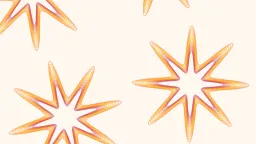
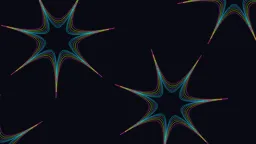
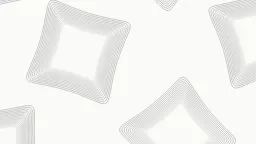
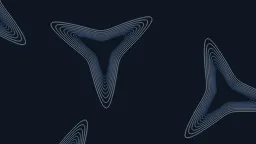
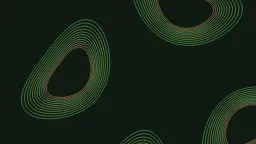
Gielis superformula shapes — flowers, stars, shields — nested as concentric copies.
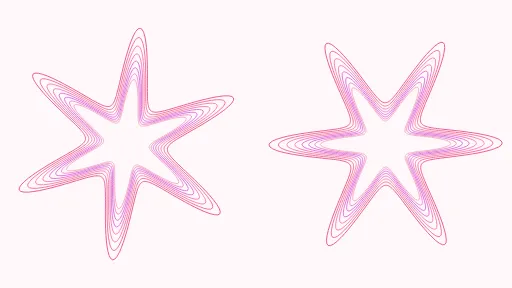
The superformula, published by the botanist Johan Gielis in 2003, is a single equation that can describe circles, stars, shields, petals and many shapes found in plants. It generalises the superellipse by adding a symmetry number.
How the maths works
- Gielis superformula
- r(φ) = ( |cos(mφ/4) / a|^n₂ + |sin(mφ/4) / b|^n₃ )^(−1/n₁)
m sets the rotational symmetry: the outline repeats m times around the centre, and m = 0 gives a plain circle. a and b weight the two terms, and values other than 1 make each lobe lopsided.
The exponents n₁, n₂ and n₃ decide whether the outline bulges or pinches. Large n₂ and n₃ with a smaller n₁ give rounded petals; all three below 1 pull the sides inward into sharp stars.
Tiny changes can flip the shape completely, so the studio starts from named shapes — flower, star, shield and circle — and switches to Custom as soon as you edit a number. Copies are drawn concentrically, copy i at (1 − shrink)ⁱ of the full size.
Parameters
- Shape
- A named starting point that fills in m, n₁, n₂, n₃, a and b. Editing any of them switches to Custom.
- Flower · Star · Shield · Circle · Custom
- Symmetry (m)
- Rotational symmetry: how many times the outline repeats around the centre.
- 0 to 16
- Roundness (n1)
- Overall exponent. Lower values make the shape spikier; higher values round it out.
- 0.1 to 20
- Curve n2
- Exponent on the cosine term. Together with n₃ it decides how each lobe bulges or pinches.
- 0.1 to 20
- Curve n3
- Exponent on the sine term. Equal n₂ and n₃ keep each lobe symmetric.
- 0.1 to 20
- Axis a
- Weight on the cosine term. Values other than 1 make each lobe lopsided.
- 0.5 to 2
- Axis b
- Weight on the sine term, the counterpart of a.
- 0.5 to 2
- Copies
- How many concentric copies are drawn, each in the next palette colour.
- 1 to 40
- Shrink per copy
- How much smaller each copy is than the one before.
- 0 to 0.3
- Line width
- Line width, relative to the short side of the canvas.
- 0.0005 to 0.02
- Size
- Size of one figure. Smaller figures leave room for more repeats.
- 0.2 to 2
- Rotation
- Rotates each figure.
- Angle, 0° to 360°
- Layout
- How figures fill the canvas: Single places one in the centre, Repeat lays out a grid, Mirror flips every other cell.
- Single · Repeat · Mirror
- Horizontal offset
- Moves the centre of the pattern left or right, measured in short edges: with Single the figure leaves the middle; with Repeat or Mirror the whole grid slides and new cells fill in on the uncovered side.
- -1 to 1
- Vertical offset
- Moves the centre of the pattern up or down, measured in short edges. Positive values move it down.
- -1 to 1
- Layout rotation
- Turns the whole layout around its (offset) centre, like rotating the camera: with Repeat or Mirror the grid becomes diagonal and new cells fill the corners. Rotation, by contrast, spins each figure inside its own cell.
- Angle, 0° to 360°
Examples
Each example opens in the studio with these settings.

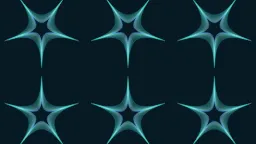
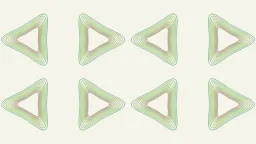
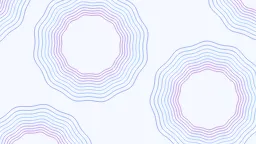



Using it as a background
Many copies with a small shrink make a dense tunnel that fills the frame; a few copies with a large shrink give an airy target.
Star shapes (all exponents below 1) make thin spikes that can feel busy behind small text. Keep the line width low or pick a muted palette.